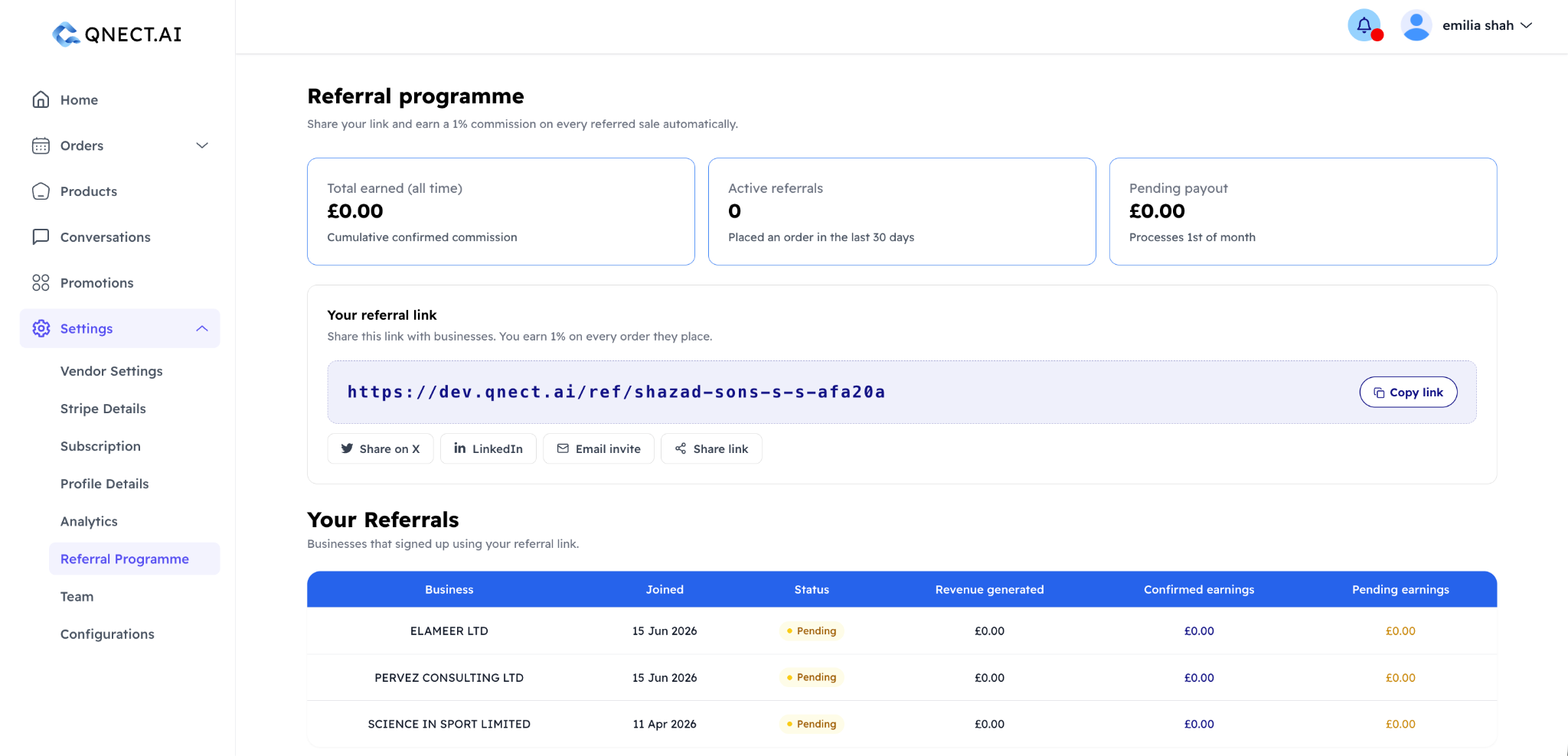
What is the Qnect referral programme?
Qnect rewards you for bringing new businesses/charities onto the platform. When a business or charity you refer to starts processing orders, you earn a percentage commission on their revenue for as long as they remain active. The exact referral percentage on offer will be displayed in Referral Program dashboard.
Who can join the referral programme?
There are two ways to participate:
- Existing businesses/charities — any active Qnect vendor can refer other businesses/charities and earn commission alongside their regular trading revenue
- Independent referrers — individuals who want to earn commission from referrals without running their own vendor account can sign up separately as a referrer — sign up by clicking here.
How do I get my referral link?
Go to Settings → Referral Programme in your dashboard. You'll find your unique referral URL there. Share it with businesses you think would benefit from Qnect. When they sign up using your link, they are tracked as your referral automatically.
How much commission do I earn?
Commission is a percentage of each referred vendor's order revenue. The current rate is shown in your referral dashboard. Commission accrues as orders are placed and is paid out monthly.
How do I track my referrals and earnings?
Your referral dashboard shows:
- Total earned — cumulative commission since you joined
- Pending payout — commission earned but not yet paid out
- Active referrals — vendors currently trading who you referred
- Individual referral table — each referred vendor with their status (Active or Pending) and earnings attributed to them
When and how do I get paid?
Commission is paid out monthly to your connected bank account via Stripe. Independent referrers go through a Stripe setup during their registration to enable payouts.
What does "Pending" status mean for a referral?
A referral is marked Pending if the business you referred to has signed up but has not yet completed their account setup or processed their first order. Once they go live, the status changes to Active and commission starts accruing.