How does a customer place an order?
Customers chat with your AI agent on WhatsApp. As they describe what they want, the agent searches your catalogue, builds a cart, and asks for confirmation. Once the customer confirms, an order is created and a payment link is sent. Customers can also order directly through WhatsApp's native catalogue or the Qnect catalogue without chatting.
What payment methods are supported?
Payments are processed through Stripe and support all major credit and debit cards as well as Apple Pay and Google Pay. Payment links are sent to customers within WhatsApp and open in a secure Stripe-hosted checkout page.
How do I manage live orders?
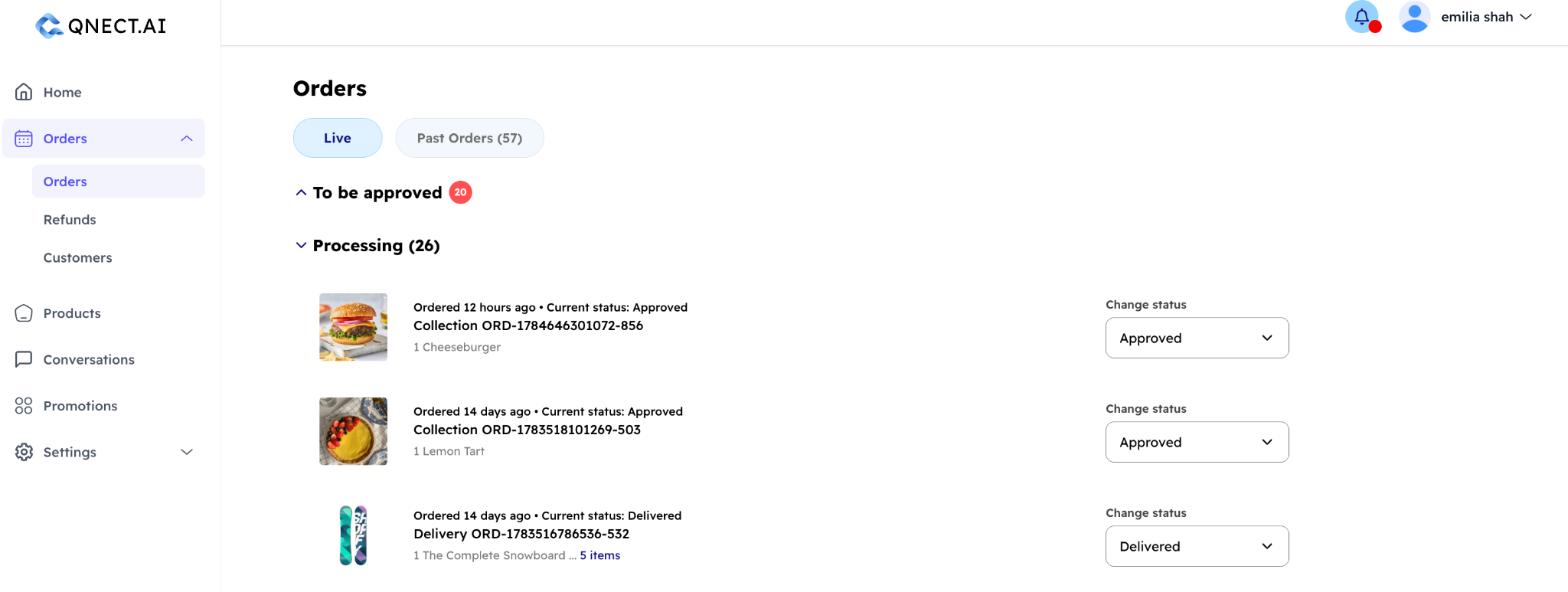
Go to Orders in your dashboard.
In this dashboard, you will see "Live" orders and "Past Orders". Under Live orders, there are two lists — "To be processed" and "Processing".
"To be processed" contains live orders that have not been accepted/rejected yet. If a "Live" order is accepted, it moves to the "Processing" list. Here, you can update the order's status. Once you update an order's status, the customer will be notified in the WhatsApp chat. You can change what your status options are in Configurations → Order Statuses.
In "Past Orders" you will see all completed orders. You can click into each completed order for more details.
What are the order fulfilment options?
Each order is either a collection (the customer picks it up from your collection address) or a delivery (you ship to the customer). You can configure delivery methods and fees in your dashboard in Tools → Delivery Options.
When do I get paid?
Payments go through your connected Stripe account. The timeline depends on your Stripe account type and region. UK accounts typically see payouts within 2–7 business days. You can view your balance and payout history in the Analytics section of your dashboard.
How do refunds work?
Customers can request a refund via WhatsApp. Their request appears in your dashboard under Refund Requests. You can approve or reject the request, and Qnect processes the refund through Stripe automatically. Partial refunds are also supported.
Where can I see my sales data?
You can see Sales data in the Analytics section of your dashboard.
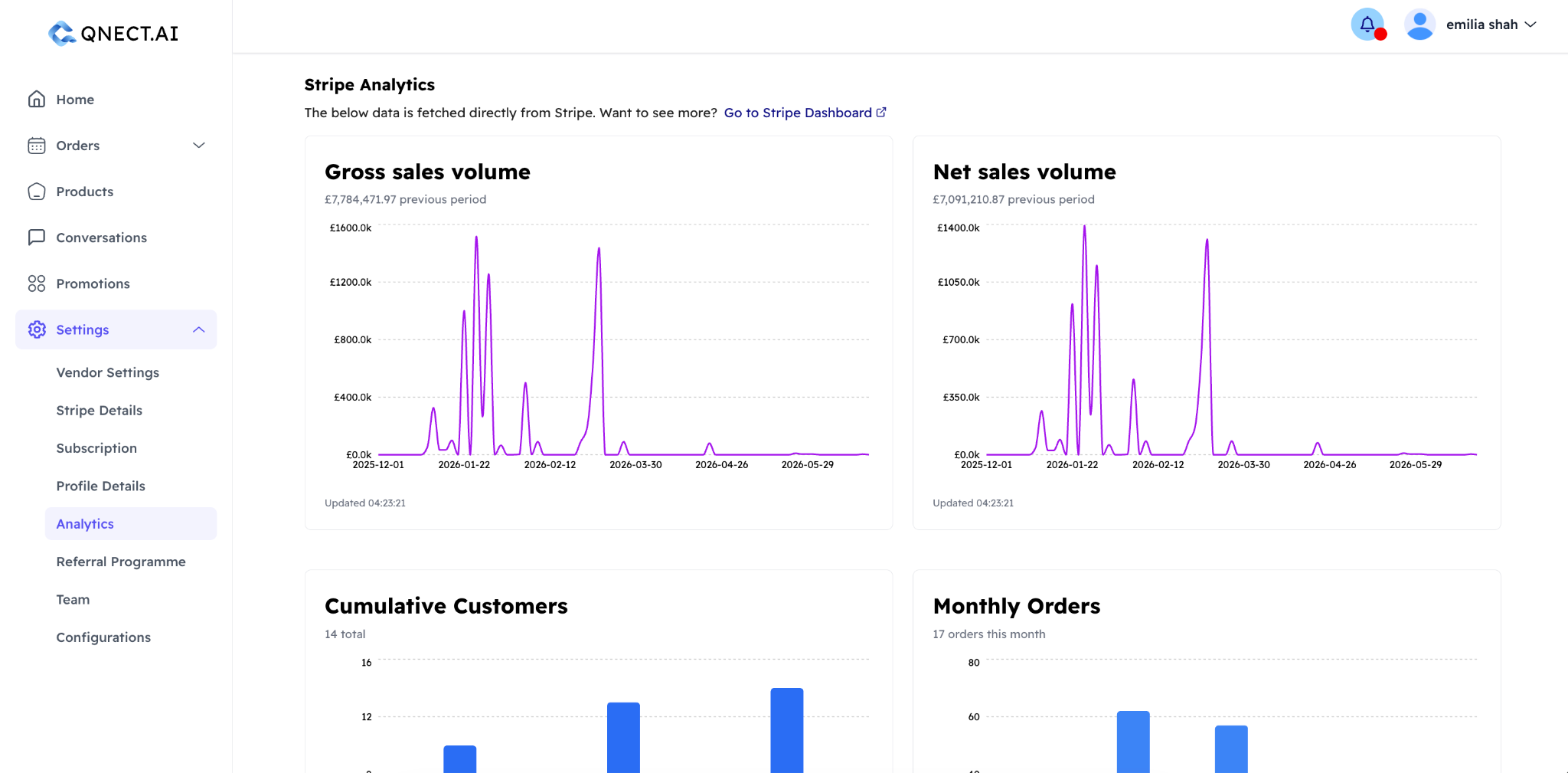
It shows:
- Gross revenue and net revenue (after Stripe fees)
- Daily and monthly sales charts
- Order volume over time
- Customer growth
- For charities: donation totals, Gift Aid declarations, and downloadable CSV exports