How do I update my business address?
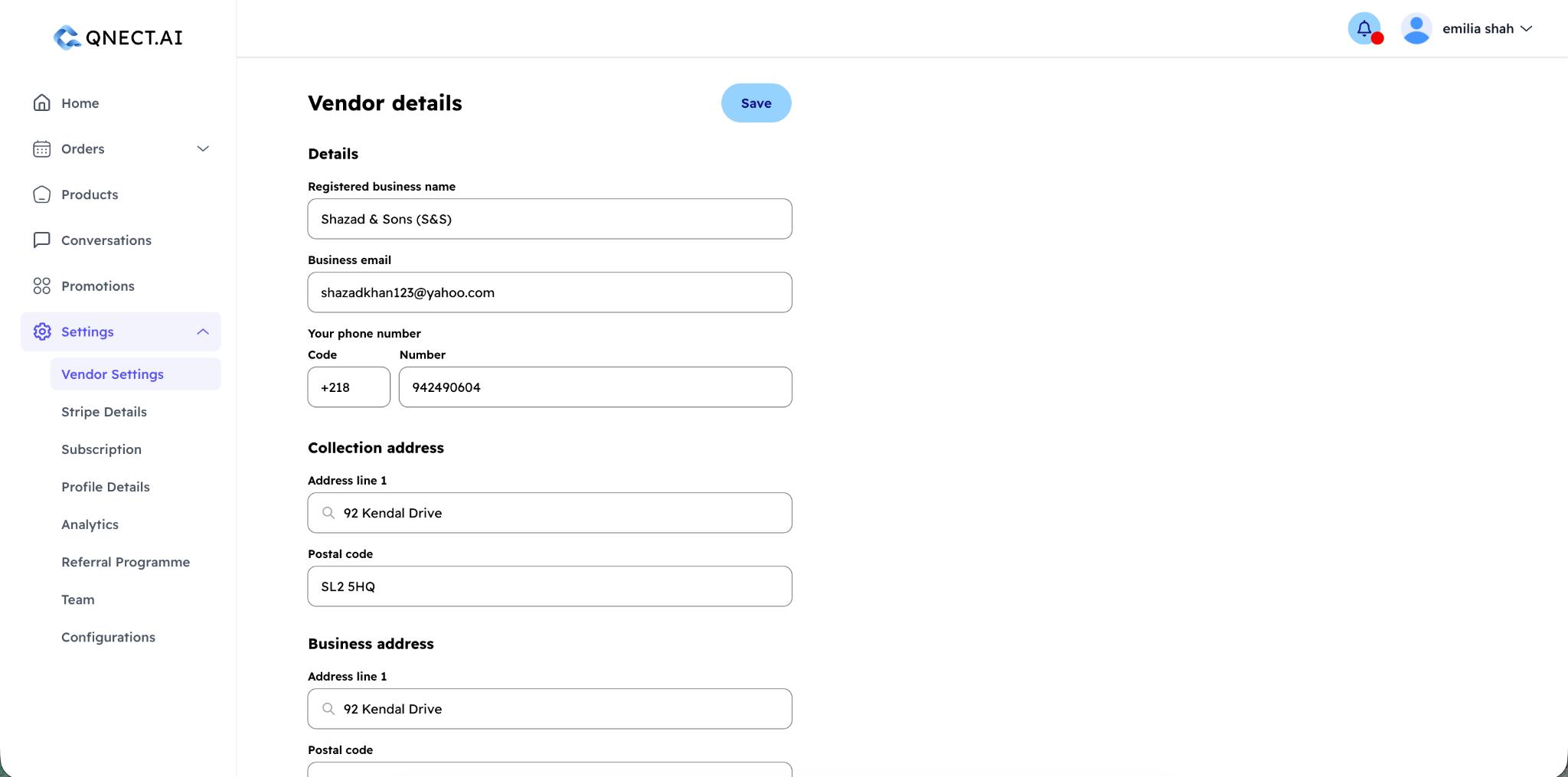
Go to Settings → Vendor Settings. From there you can edit your registered business address and your collection address (the location customers pick up orders from). Changes take effect immediately.
How do I update my bank details?
Bank details (sort code, account number, account holder name, and payment reference) are managed through your connected Stripe account. Go to Settings → Stripe Details to view or update these. Changes may require re-verification depending on your account type.
Why is Qnect asking me to upload documents?
Stripe requires identity and business verification for all vendors processing payments. If there are outstanding requirements, you'll see a warning banner on your dashboard. Go to Settings → Stripe Details to see exactly which documents are needed and upload them directly.
Common requirements include:
- Proof of identity (passport or driving licence)
- Proof of address (utility bill or bank statement)
- Business registration certificate
How do I change my WhatsApp number?
Go to Settings → Vendor Settings to view your currently connected WhatsApp Business number and WABA status. To change your number, contact Qnect support at hello@qnect.ai, as number changes require a re-verification step with Meta.
How do I close my account?
You can begin the account closure process from your Vendor Settings page. There you'll find a "Close Vendor Account" button. Once clicked, the process works as follows:
- A closure request is submitted
- Your account enters a 14-day grace period — during this time your storefront is suspended but your data is intact
- You'll receive reminder emails on Day 7 and Day 13
- If you change your mind, you can reinstate your account at any point before Day 14
- After Day 14, permanent deletion begins — your personal data is removed within 30 days, and transactional records are anonymised in line with legal requirements (7 years)
Can I reinstate a closed account?
Yes, but only within the 14-day grace period. After Day 14 the deletion process begins and cannot be reversed. To reinstate, log in and follow the reinstatement prompt, or contact hello@qnect.ai.